If you’ve successfully registered for an escrowtax account and set up your payment method, but notice that your parcel isn’t linked, don’t worry — this can happen if the parcel wasn’t added during the registration process. Linking your parcel is essential to ensure your escrow payments are applied to the correct property and appear in your account dashboard.
Follow the steps below to quickly link your parcel and complete your escrow setup:
Log in to your account at https://escrowtaxes.com/.
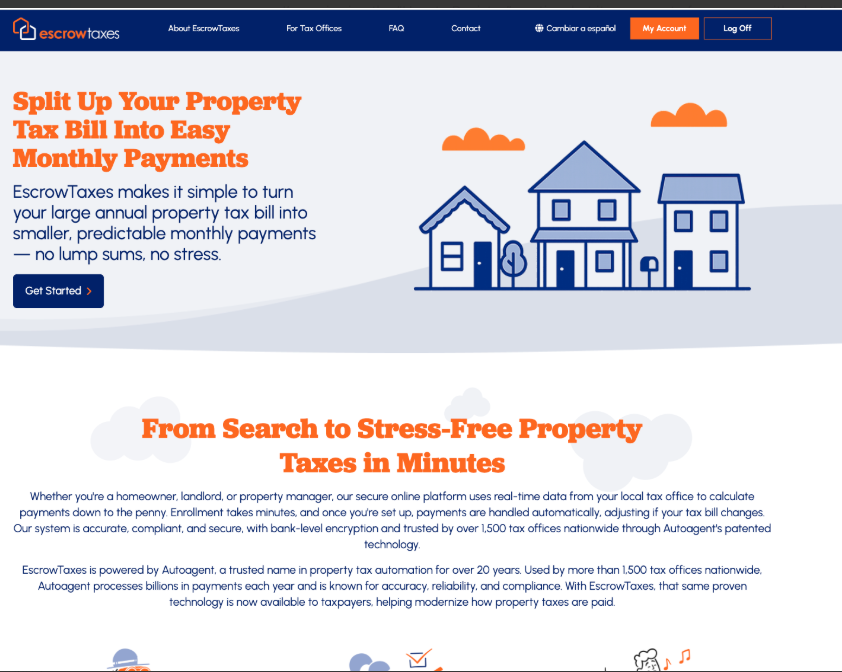
Scroll to the bottom of the page to search for your parcel.
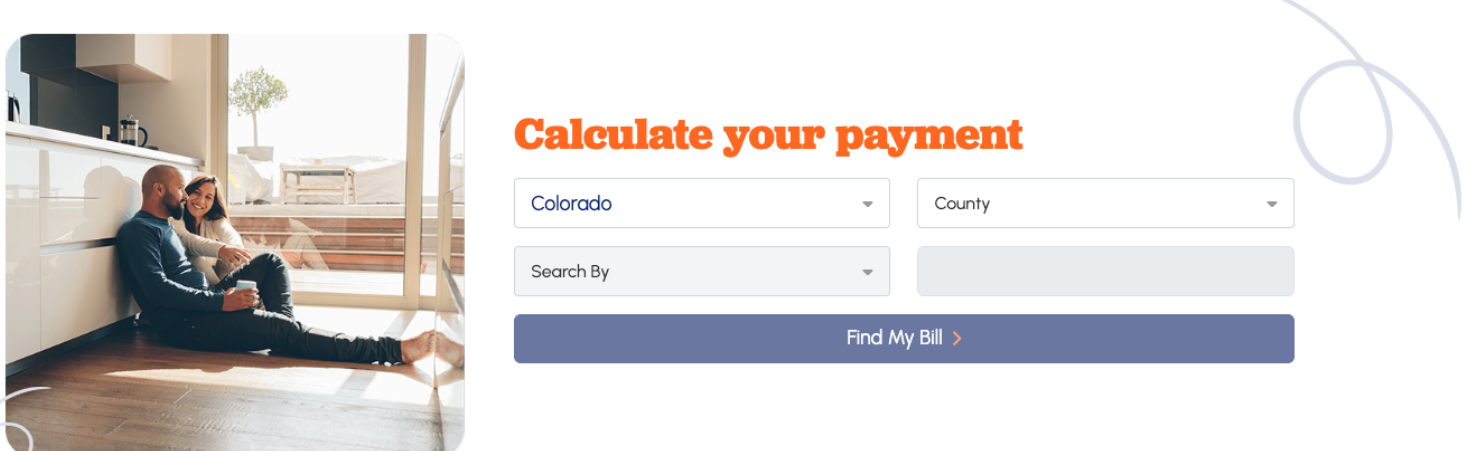
Once you locate the parcel(s) you’d like to set up for Escrow Tax payments, click “Enroll in Escrow Payments.”
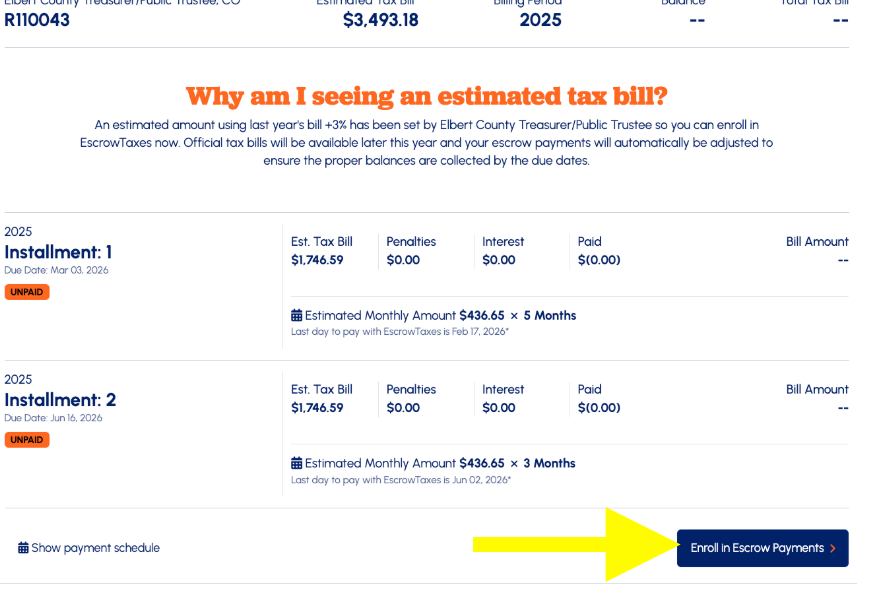
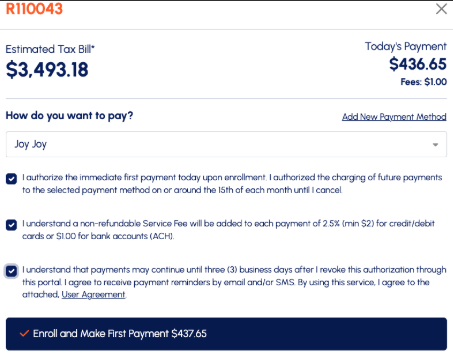
The screen will then update and ask, “How do you want to pay?” Select your stored payment method.
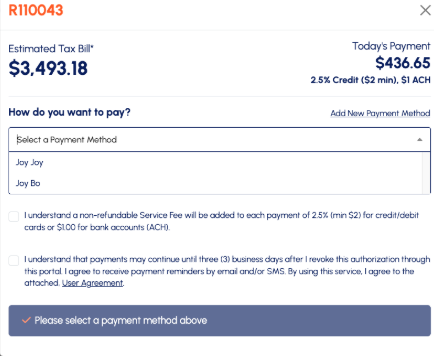
After selecting your payment method, click “Enroll and Make First Payment.”
Was this article helpful?
That’s Great!
Thank you for your feedback
Sorry! We couldn't be helpful
Thank you for your feedback
Feedback sent
We appreciate your effort and will try to fix the article